
 Sign in to Mod The Sims
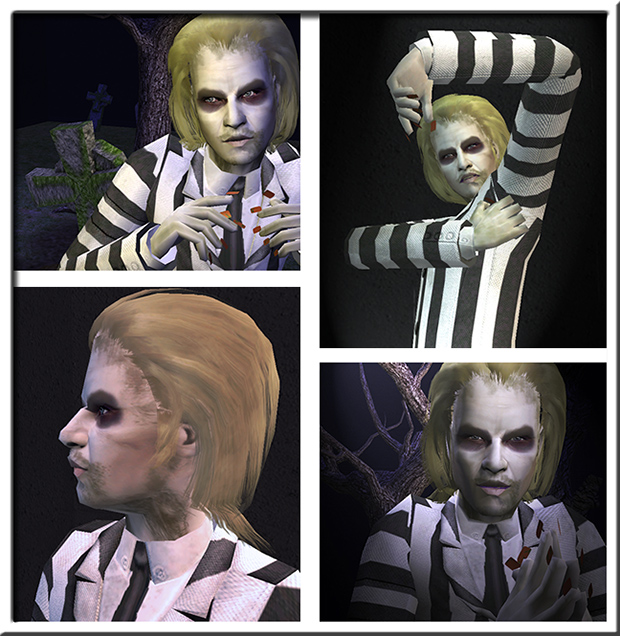
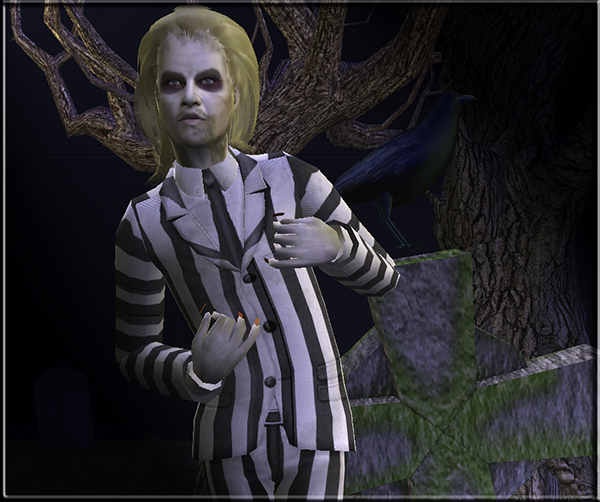
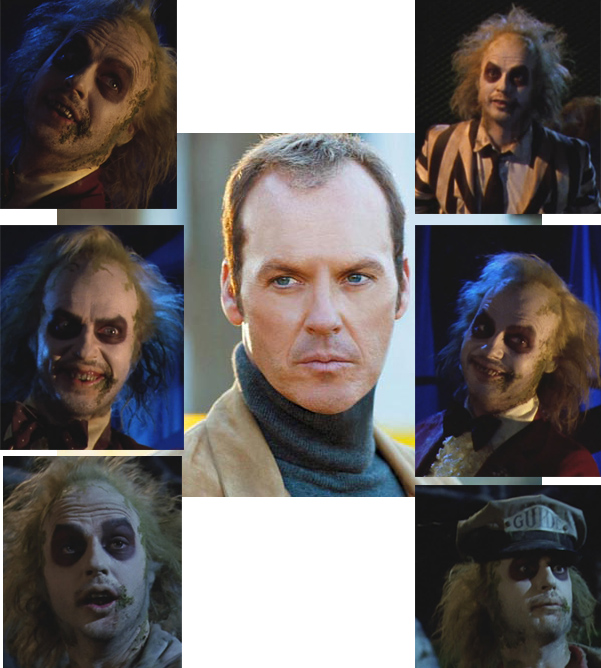
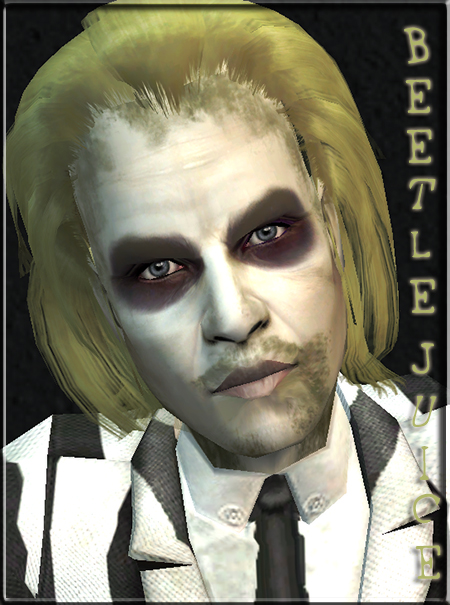
 Tim Burton's BeetleJuice as played by Michael Keaton
 Tim Burton's BeetleJuice as played by Michael Keaton
MTS has all free content, all the time. Donate to help keep it running.
SCREENSHOTS
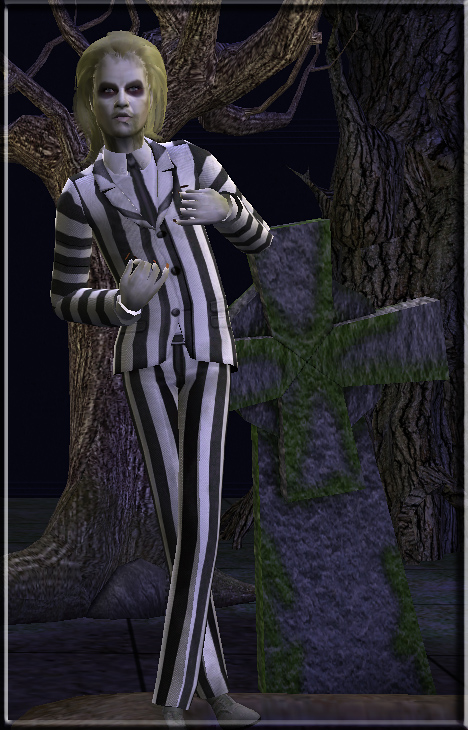


Sims2EP8 2010-07-04 23-29-14-79.jpg - width=468 height=730
bj1.jpg - width=620 height=636
Sims2EP8 2010-07-04 23-27-23-62.jpg - width=600 height=502
bjcomp.jpg - width=601 height=668
BJ2.jpg - width=450 height=605
Picked Upload!
This is a picked upload! It showcases some of the best talent and creativity available on MTS and in the community.

Created by MistyBlue
Uploaded: 12th Jul 2010 at 7:13 PM
Updated: 25th Jan 2012 at 3:52 PM by mistyblue4
Updated: 25th Jan 2012 at 3:52 PM by mistyblue4
~ Go ahead... make my millennium. ~
Beetlejuice is a 1988 American comedy horror fantasy film directed by Tim Burton, produced by The Geffen Film Company and distributed by Warner Bros. The plot revolves around a recently deceased young couple who become ghosts haunting their former home, a quaint and quiet house on a hill overlooking the fictional town of Winter River, located in Connecticut. When a family of metropolitan yuppies from New York City move into the house, the ghosts seek the help of an obnoxious, devious and mischievous "bio-exorcist" named Betelgeuse ((pronounced "Beetlejuice") from the underworld in order to scare the new living inhabitants away permanently. Beetlejuice stars Alec Baldwin, Geena Davis, Winona Ryder, Catherine O'Hara, Jeffrey Jones, Sylvia Sidney, and Michael Keaton as the titular Betelgeuse (the film's title being a phonetic spelling of the character's name).
Okay, okay, enough with the facts, I'm sure all of you know BeetleJuice!

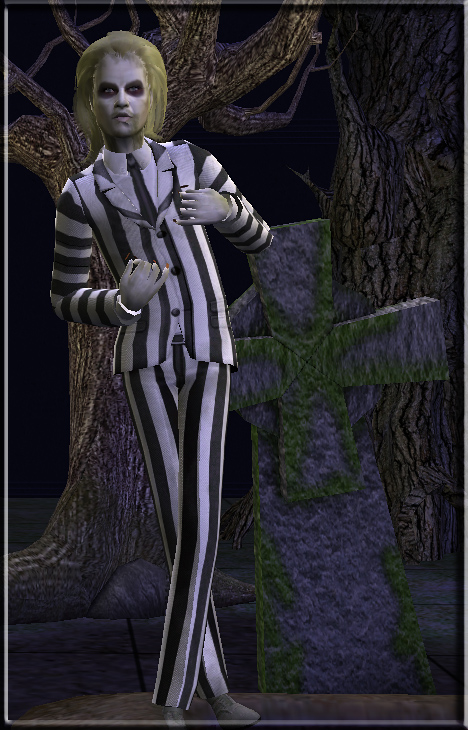
"Beetlejuice" is one of my favorite movies ever. It's just brilliant. Michael Keaton was awesome as BeetleJuice. And I grew up with the cartoon, it's still one of my faves too. So I thought this might be an interesting project, and I was right!
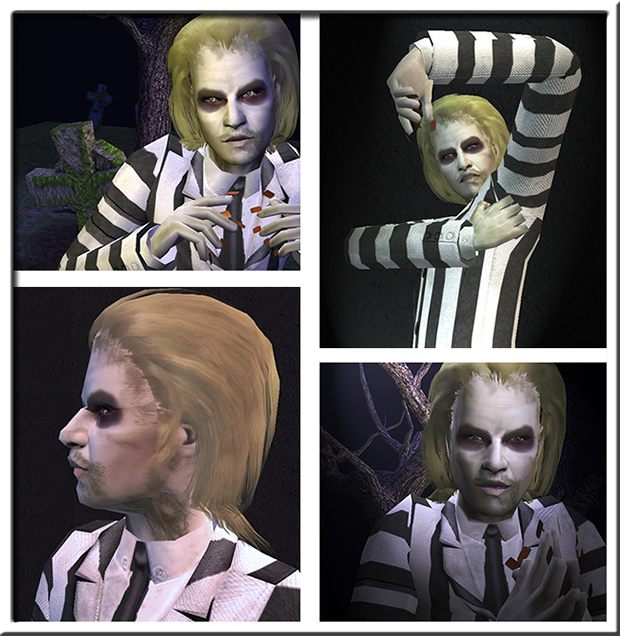
You'll need some meshes for BJ to look like on the photos:
- Outfit recolor is by Mimsy and can be found here and the mesh is by Berg, here.
- You'll also need nails mesh by ShadyLady, here
Hair is by Helga, but the site is dead, so I've included the mesh for your pleasure :D
Skintone is my edit of one of Needlecream's lovely skins.
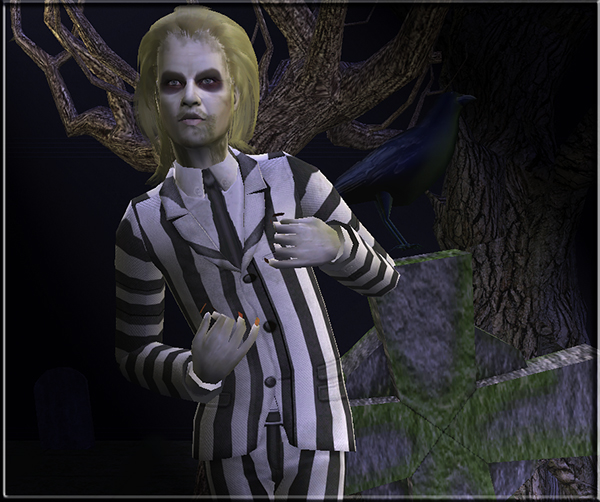
That's it! I hope you'll enjoy having BJ in your game, he's such a fun sim to play! (Although very sloppy and goofy).
Happy simming! 

Custom Content by Me:
- Tim Burton's Beetle Juice
- BJ Eyebrows
- BeetleJuice nosolabial
- subtle eyeliner
- Beetle Juice Nails
- BeetleJuice skin (Needlecream edit)
- Helga Hair Ew Recolor
Custom Content Included:
- Eyes by DragonMandy
- Anva - Sclera v2 - Light by Anva
- Hollow of the Cheek by AtomicSpaceKitty@MTS2
- Layerable Mouth Corner by D.Eclipse
- Wrinkles by simplelife
- Hair Mesh by Helga
Additional Credits:
Thank you all creators and MTS!!
| Filename | Size | Downloads | Date | |||||
|
Tim Burtons BeetleJuice.rar
Size: 3.59 MB · Downloads: 4,921 · 12th Jul 2010 |
3.59 MB | 4,921 | 12th Jul 2010 | |||||
| For a detailed look at individual files, see the Information tab. | ||||||||
Key:
- - File was updated after upload was posted
Install Instructions
Basic Download and Install Instructions:
1. Download: Click the download link to save the .rar or .zip file(s) to your computer.
2. Extract the zip, rar, or 7z file.
3. Install: Double-click on the .sims2pack file to install its contents to your game. The files will automatically be installed to the proper location(s).
1. Download: Click the download link to save the .rar or .zip file(s) to your computer.
2. Extract the zip, rar, or 7z file.
3. Install: Double-click on the .sims2pack file to install its contents to your game. The files will automatically be installed to the proper location(s).
- You may want to use the Sims2Pack Clean Installer instead of the game's installer, which will let you install sims and pets which may otherwise give errors about needing expansion packs. It also lets you choose what included content to install. Do NOT use Clean Installer to get around this error with lots and houses as that can cause your game to crash when attempting to use that lot. Get S2PCI here: Clean Installer Official Site.
- For a full, complete guide to downloading complete with pictures and more information, see: Game Help: Downloading for Fracking Idiots.
- Custom content not showing up in the game? See: Game Help: Getting Custom Content to Show Up.
- If you get an error that says "This content requires expansion pack data that is not installed", please use either Clean Installer to install this sim.
Meshes needed
This download requires one or more meshes to work properly. Please check the Description tab for information about the meshes needed, then download them below:| MTS cannot guarantee any off-site links will be available |
| New Nail Polish Mesh for LONG Nails + 12 Recolors by shadylady482 |
| Suit Yourself - Vintage Mod! Outfits For The Lads by Berg |
Also Thanked - Users who thanked this download also thanked:
Packs Needed
None, this is Sims 2 base game compatible!
Tags
#beetlejuice, #michael keaton, #tim burton, #horror, #goth, #dead, #zombie, #graveyard
More Downloads BETA
Here are some more of my downloads: