
 Sign in to Mod The Sims
 Fully animated multi-purpose Coal Stove - *UPDATED 21feb06* - REDOWNLOAD!
 Fully animated multi-purpose Coal Stove - *UPDATED 21feb06* - REDOWNLOAD!
MTS has all free content, all the time. Donate to help keep it running.
SCREENSHOTS



Screenshot_All.jpg - width=1024 height=768
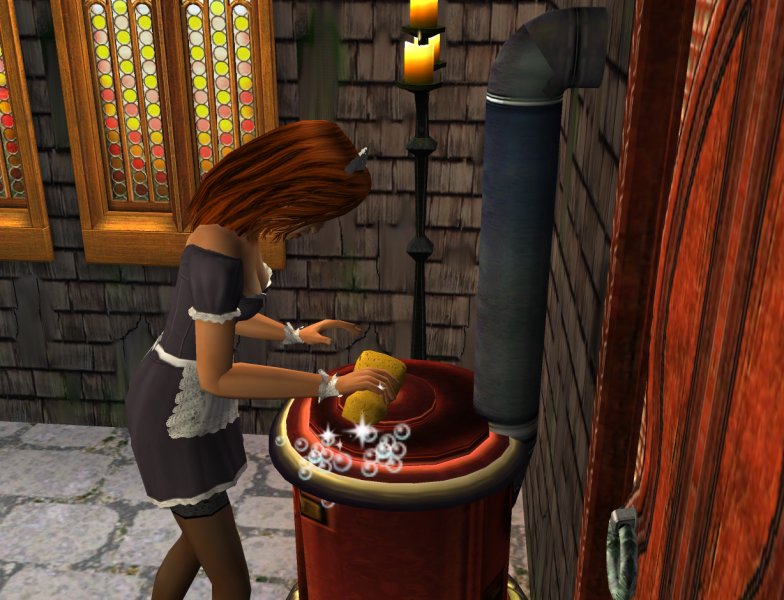
Screenshot_Clean.jpg - width=784 height=600
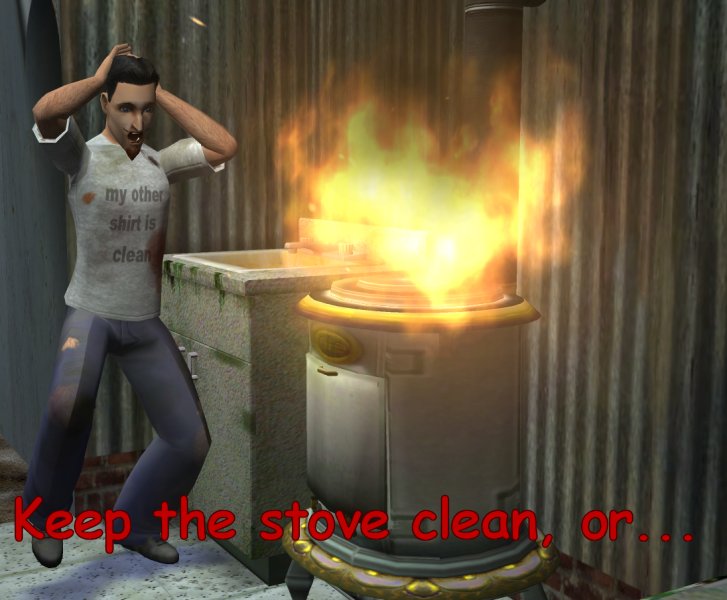
Screenshot_Fire.jpg - width=727 height=600
Screenshot_Light.jpg - width=835 height=600
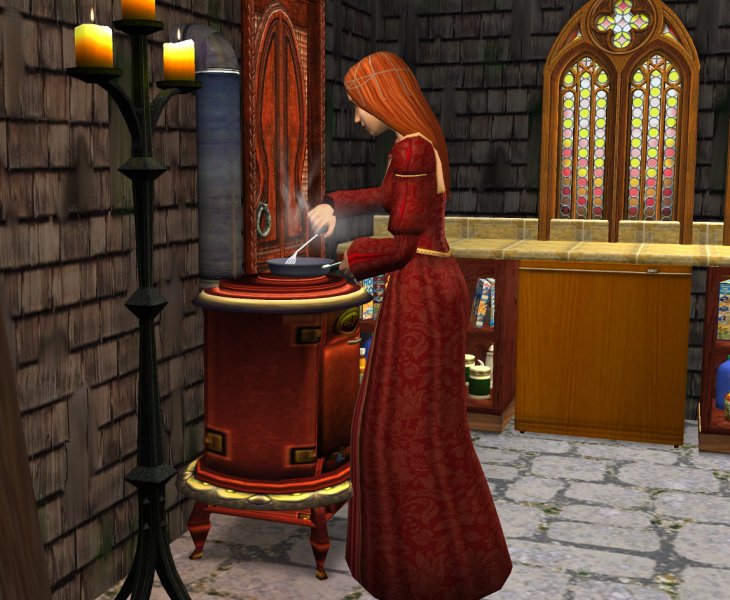
Screenshot_Range.jpg - width=730 height=600
Featured Upload!
This is a featured upload! It showcases the best talent and creativity available on MTS and in the community. 



Created by Numenor
Uploaded: 15th Feb 2006 at 7:43 PM
Updated: 7th Oct 2013 at 10:03 PM by leefish - fix image
Updated: 7th Oct 2013 at 10:03 PM by leefish - fix image
"GOOD OL' DAYS" MULTI-PURPOSE COAL STOVE
--------------------------------------------------------
 21 FEB 2006 - IMPORTANT UPDATE ALL USERS (with or without EPs) PLEASE REDOWNLOAD
 P.S. The Coal Stove works fine with the OFB, too, but only as a normal "home" stove: it doesn't allow to cook multiple meals. The special custom animation, the fire effect and the custom light just make it impossible to use it in a Business environment. And after all, cooking meals on the Coal Stove is too a slow process, if you are going to use it in your bakery or restaurant.
--------------------------------------------------------
Thanks to the reports by the users, now the Coal Stove has been greatly improved: every type of trash can be burned into it, including not fully prepared meals, paper airplanes, ordinary trash and anything else...
The "Clean" otion now is correctly available whenever the Stove gets dirty, and the meals cooking in the oven can always be taken out.
Moreover, a real flame has been added to the stove: watch it burn whenever the sims open the oven door! :D
Many thanks (again) to MaryLou for her estensive and throughly testing of the new stove, and for all the other users that reported mulfunctions for the old one

--------------------------------------------------------
Feel the thrill of a jump into the past! Cook your meals like your grand-grand-mother used to do! Try the GOOD OL' DAYS COAL STOVE!
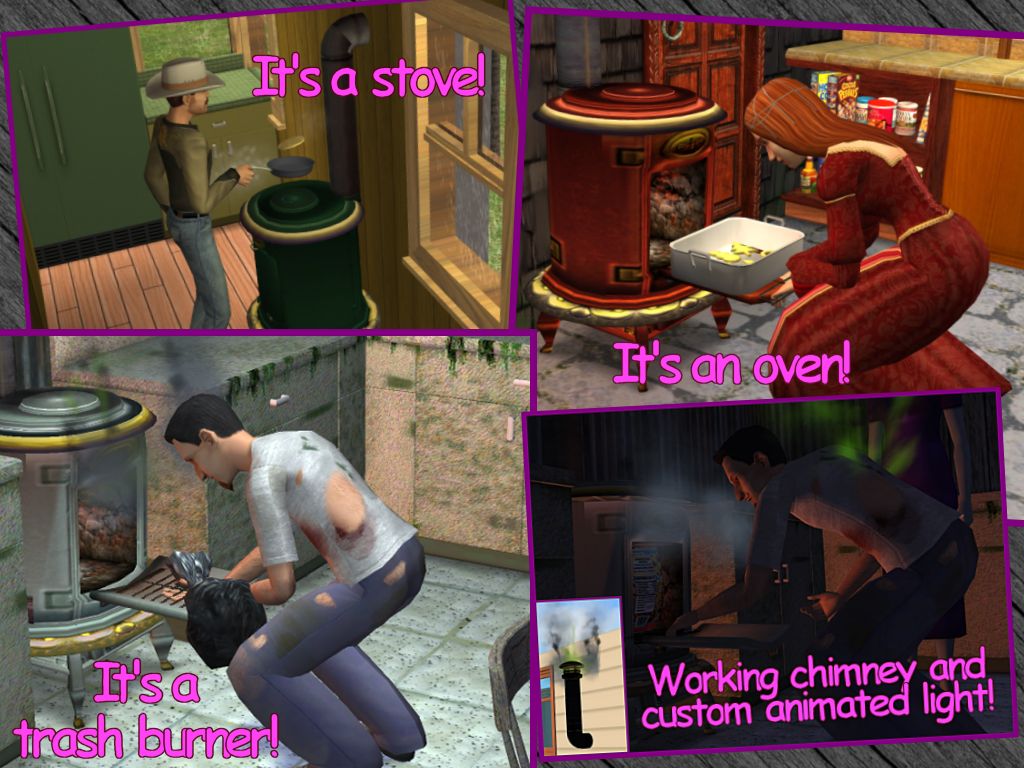
It's a range: you can cook meals on it.
It's an oven: from turkeys to Santa cookis, everything can be cooked into the burning cell.
It's a trash burner: why burn only coal? All your trash, used dishes, old newspapers and such can be thrown and burnt into this stove!
It fits many house styles: if your favourite family leaves in a castle, a victorian mansion, a "cowboy" retreat or a "trashy" house, finally you can dismiss any modern and expensive stove: your sims (and UNI students) have found the right appliance for them!
IN-GAME OPERATING INSTRUCTIONS
You can use the Coal Stove as a normal stove with oven. Plus, the sims will use it to dispose trash (like the trash compactor).
Every time you throw something in the stove, it will emit a dense black smoke (from the chimney, too!); the smoke will cease in few seconds.
If the smoke doesn't stop (and - on the contrary - a green smoke can be seen in conjunction of the black one), this means that the stove is dirty: clean it, or you risk a fire!.
Your sims will LOVE to watch the trash burning in the stove, and often will open the lid to peek in (watch the suggesting trembling light flowing out of the stove every time they will open the lid
 ).
).The Coal Stove will be cleaned by the maid, if needed.
Please note that children are not allowed to use the Coal Stove, nor for cooking (obviously), nor for disposing trash. Teens, young adults, adults and elders can use it at will.
INSTALLATION INSTRUCTIONS
As usual, extract the package from the rar archive, and put it in the Downloads folder; remove the package to uninstall.
Tthe Coal Stove work with any game configuration (but it doesn't have the special Business functions added with OFB).
TECHNICAL DETAILS
The mesh is a modification of the Maxis "Estomago" Pot Belly stove; the textures used by the Coal Stove are borrowed from the "Estomago" fireplace, and every recolour made for the "Estomago" will automatically apply to the Coal Stove, too.
The animations have been taken from the cheap "Dialectric" range, and tailored to the Coal Stove. A heavy BHAV editing was needed in order to implement all the desired functions.
This Coal Stove it's a very complex object: I've done my best to check and double check everything (a special 'thank you' to MaryLou for the beta-testing
), but obviously you might find little glitches or problems; in this case, please let me know.COPYRIGHT and CREDITS
Credits to Maxis for the original mesh and for the textures. Credits to Numenor (that's me!
 ) for anything else.
DO NOT CLONE! DO NOT REPOST ON OTHER SITES!
You can create recolours for the stove (you have to recolour the "Estomago" stove, actually), and you can post your recolours anywhere.
You can include the Coal Stove in you lots, but only if you upload the lot to FREE sites, give credits to Numenor and PUT A LINK to this thread.
Have fun!
This is a new mesh, and means that it's a brand new self contained object that usually does not require a specific Pack (although this is possible depending on the type). It may have Recolours hosted on MTS - check below for more information.
| Filename | Size | Downloads | Date | |||||
|
Numenor_CoalStove_UPD-21feb06.rar
Size: 67.8 KB · Downloads: 60,187 · 21st Feb 2006 |
67.8 KB | 60,187 | 21st Feb 2006 | |||||
| For a detailed look at individual files, see the Information tab. | ||||||||
Key:
- - File was updated after upload was posted
Install Instructions
Basic Download and Install Instructions:
1. Download: Click the download link to save the .rar or .zip file(s) to your computer.
2. Extract the zip, rar, or 7z file.
3. Place in Downloads Folder: Cut and paste the .package file(s) into your Downloads folder:
1. Download: Click the download link to save the .rar or .zip file(s) to your computer.
2. Extract the zip, rar, or 7z file.
3. Place in Downloads Folder: Cut and paste the .package file(s) into your Downloads folder:
- Origin (Ultimate Collection): Users\(Current User Account)\Documents\EA Games\The Sims™ 2 Ultimate Collection\Downloads\
- Non-Origin, Windows Vista/7/8/10: Users\(Current User Account)\Documents\EA Games\The Sims 2\Downloads\
- Non-Origin, Windows XP: Documents and Settings\(Current User Account)\My Documents\EA Games\The Sims 2\Downloads\
- Mac: Users\(Current User Account)\Documents\EA Games\The Sims 2\Downloads
- Mac x64: /Library/Containers/com.aspyr.sims2.appstore/Data/Library/Application Support/Aspyr/The Sims 2/Downloads
- For a full, complete guide to downloading complete with pictures and more information, see: Game Help: Downloading for Fracking Idiots.
- Custom content not showing up in the game? See: Game Help: Getting Custom Content to Show Up.
- If you don't have a Downloads folder, just make one. See instructions at: Game Help: No Downloads Folder.
Also Thanked - Users who thanked this download also thanked:
Packs Needed
None, this is Sims 2 base game compatible!
Other Information
Style:
– Antique
: Antique or Historical
Room:
– Kitchen
– Living
: Living Room
Maxis Flags:
– Not Applicable
Redistribution Policy and License Agreement
*** I RETIRED FROM MODDING ***
You may contact me via personal messages here at MTS, and I will reply, but I don't grant I can help you, as a long time has gone by since I created my mods.
This following policy applies to ALL my creations, unless otherwise stated on the download thread.
It's FORBIDDEN: to repost my stuff anywhere.
It's FORBIDDEN: to clone my creations.
It's ALLOWED: to create recolours for my objects (and post them on any site, including paysites), BUT you can't include the mesh in your recolour: you must give credits to me for the mesh, and provide a link to the mesh download thread.
It's ALLOWED: to include my creations in your lots, BUT the lots must be uploaded on free sites (except the Exchange), and you must provide credits and a link to the download thread.
You may contact me via personal messages here at MTS, and I will reply, but I don't grant I can help you, as a long time has gone by since I created my mods.
This following policy applies to ALL my creations, unless otherwise stated on the download thread.
It's FORBIDDEN: to repost my stuff anywhere.
It's FORBIDDEN: to clone my creations.
It's ALLOWED: to create recolours for my objects (and post them on any site, including paysites), BUT you can't include the mesh in your recolour: you must give credits to me for the mesh, and provide a link to the mesh download thread.
It's ALLOWED: to include my creations in your lots, BUT the lots must be uploaded on free sites (except the Exchange), and you must provide credits and a link to the download thread.