
 Sign in to Mod The Sims
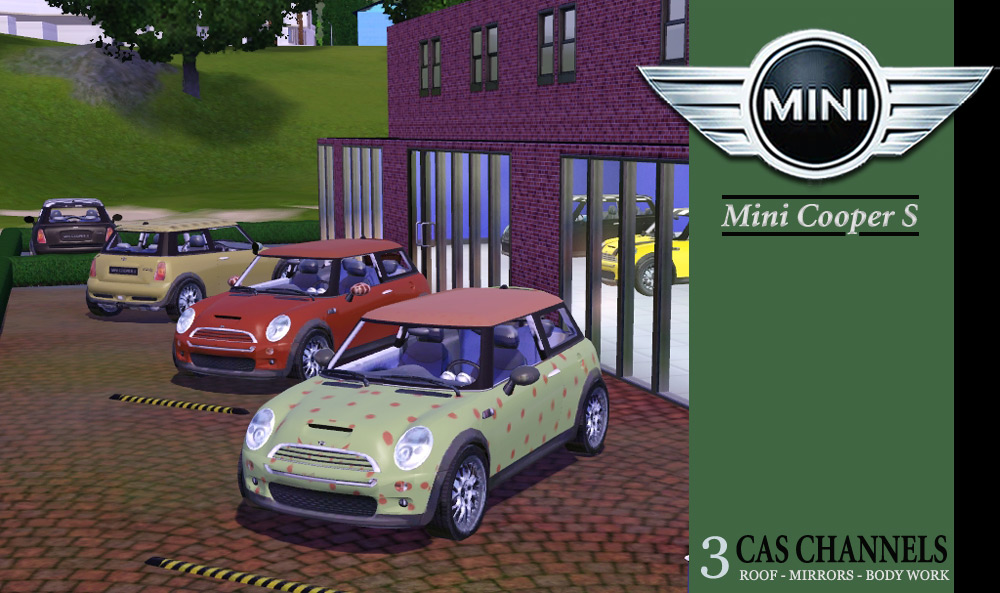
 Mini Cooper S
 Mini Cooper S
MTS has all free content, all the time. Donate to help keep it running.
SCREENSHOTS



bigad.jpg - width=1000 height=593
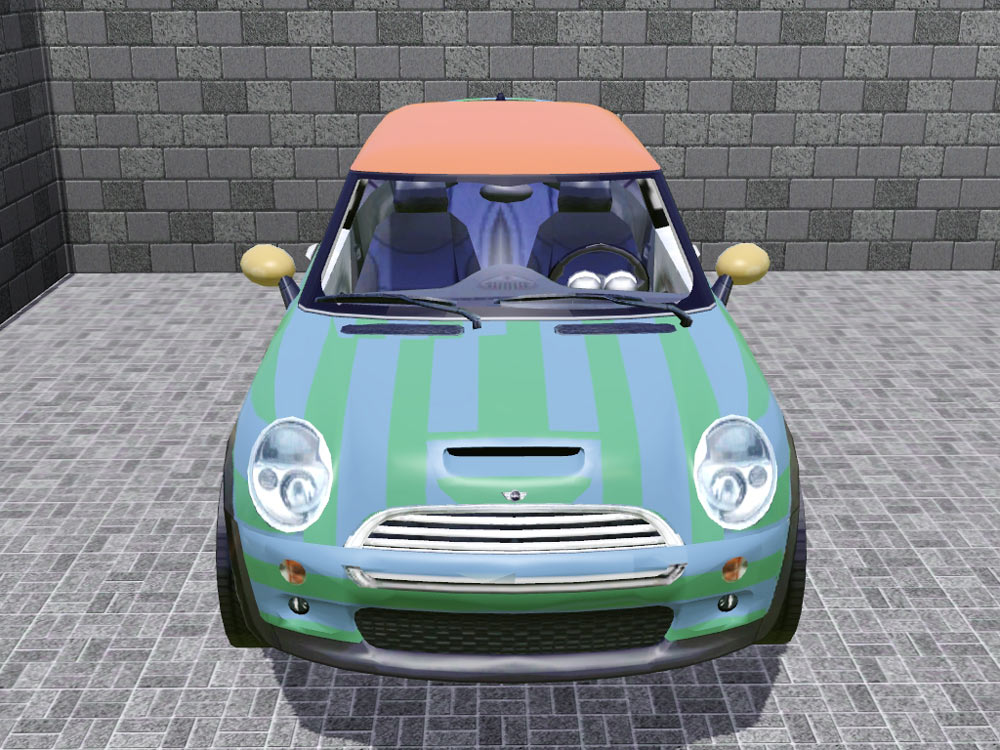
Frontview.jpg - width=1000 height=750
Sideview.jpg - width=1000 height=750
backview.jpg - width=1000 height=750
preset-collage.jpg - width=1107 height=1000
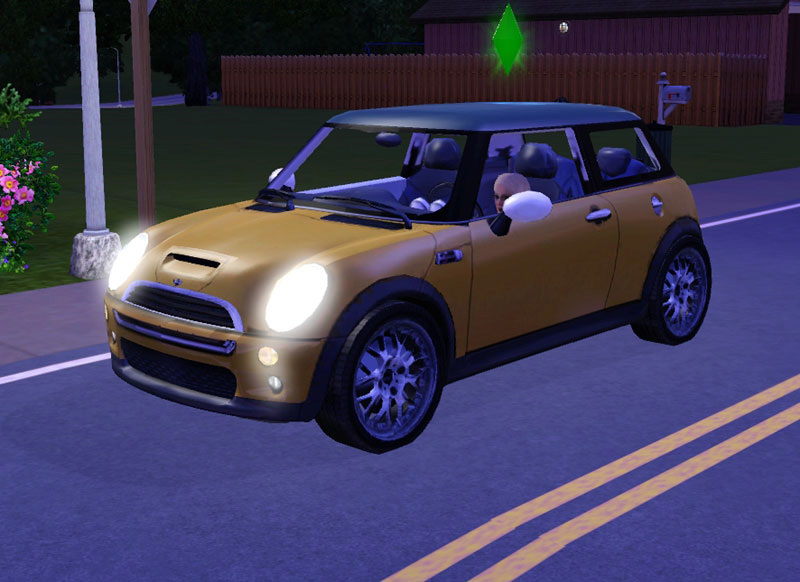
nighttime.jpg - width=800 height=582
Picked Upload!
This is a picked upload! It showcases some of the best talent and creativity available on MTS and in the community.


Created by leefish
Uploaded: 13th Mar 2010 at 5:51 PM
Updated: 26th Jun 2013 at 3:12 AM - remove from personal picks
Updated: 26th Jun 2013 at 3:12 AM - remove from personal picks
When I am not playing with my sim or creating for the sims games, I love to drive my car. I wanted my sim to be able to drive the same type of car as I do - but nobody had made it. So I made it myself, the car that create a style was made for - the BMW Mini Cooper.
This car has been tested in a Base game patched to 1.26.89 and works with no NEW issues.
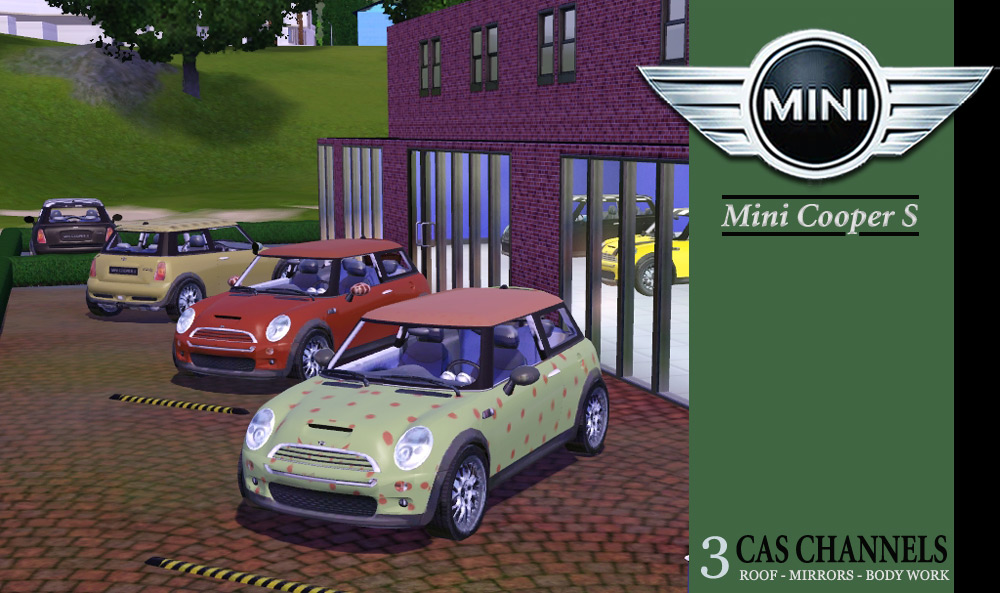
When you buy a Mini Cooper in RL you can customise the bodywork quite a bit - different coloured roof, wing mirror and bodywork. You can also add stripes to the bonnet (hood for you Americans out there).
The easy way to remember which is which is that all the presets with stripes are with a fancy roof, the non striped have a plain roof.
Its my first car and the most complicated object for TS3 that I have made so far, and so, its not perfect......
Known Issues
Change Log
14 March 02:20
Prices and Catalogue Location
In the vehicles category at a very reasonable 35000 simoleons.
Game Compatibility:
I had this tested in WA and HELS - it worked fine in both and in my base game. It aso works in Ambitions - thanks Dal
Sims3Pack If you would like this item as a sims3pack, I have made it available on my own site, Leefish. Click Here for link
Polygon Counts:
A rather staggering 10870 polys. This is the same for ALL LODs. I have a rubbish PC and its fine in game.
Additional Credits:
I did not make or texture this mesh myself - all credit for that is due to the original makers, my thanks to Jonathan for permission to use this mesh.
Mesh Creators
Jonathan Mace ([email protected]) and Stecki ([email protected]), purchased by Jonathan from www.turbosquid.com and given to me to share as a sims3 car.... In other words, I did not pay anyone for this mesh
Yet More Credits
TSR workshop - presets are fun to do!
FreshPrince for being supportive and helping me along
My testers, Davey and Dal.
Delphy for the sims3pack -> package extractor
This car has been tested in a Base game patched to 1.26.89 and works with no NEW issues.
When you buy a Mini Cooper in RL you can customise the bodywork quite a bit - different coloured roof, wing mirror and bodywork. You can also add stripes to the bonnet (hood for you Americans out there).
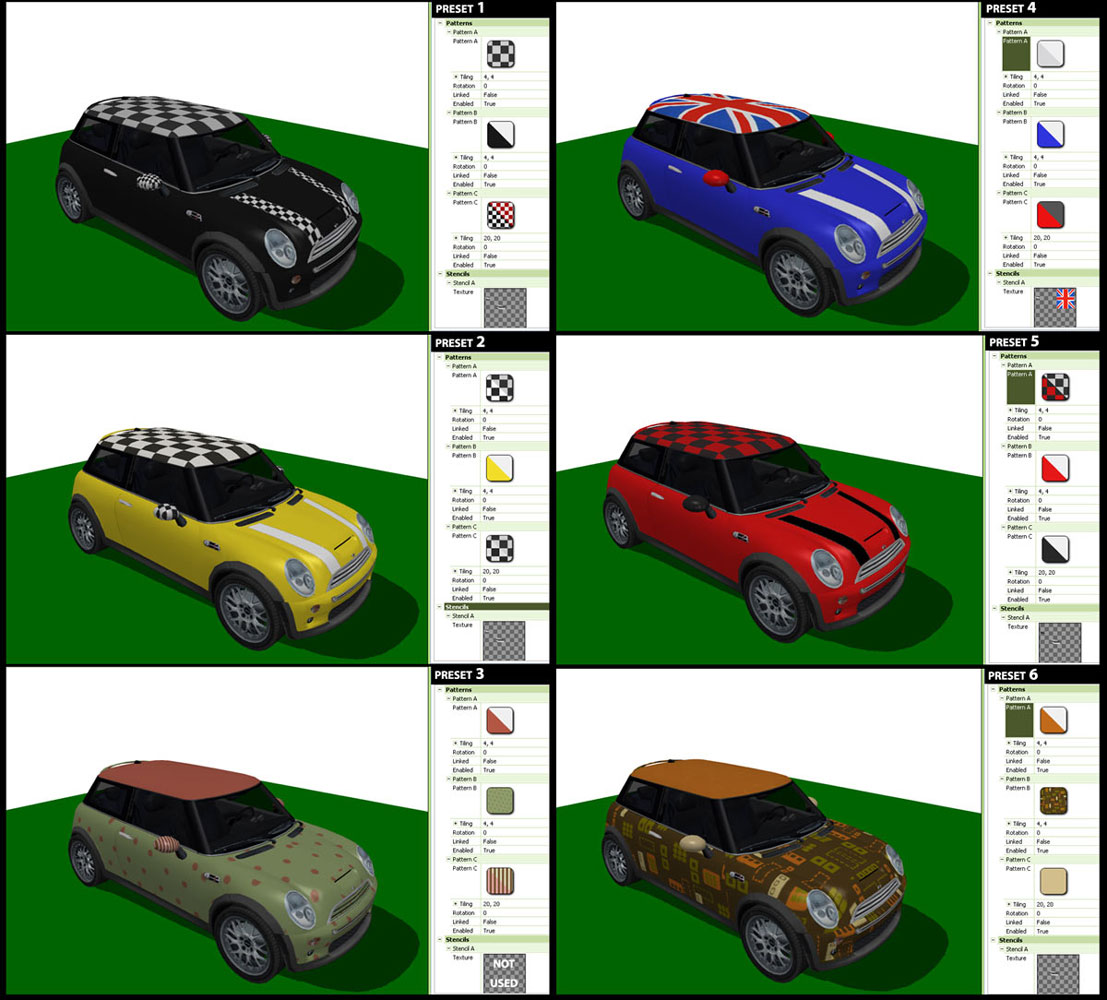
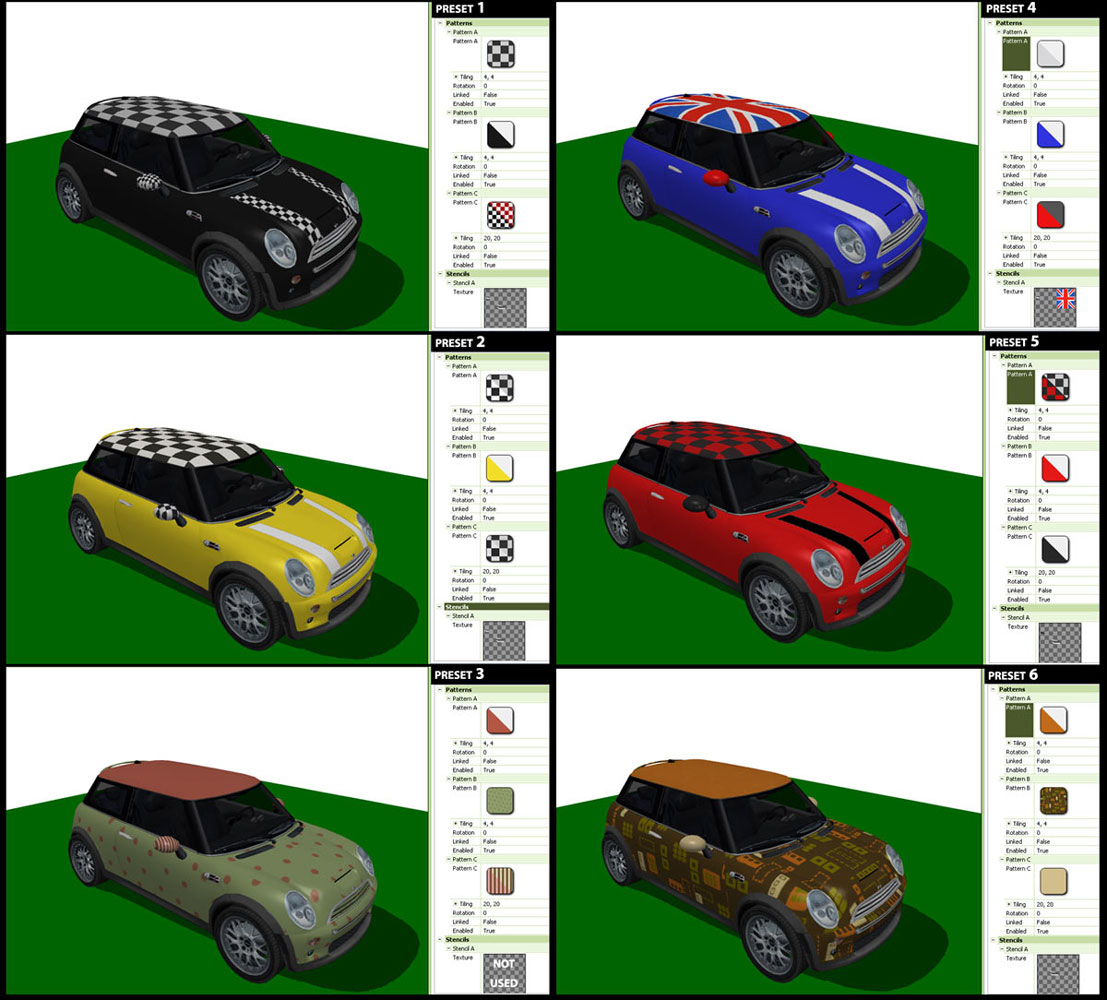
I worked hard on optimising its create a styleness - so I have made 6 presets using the masks and the stencils.
All car presets have the three basic recolourable channels - ROOF, WINGMIRROR, BODYWORK.
- Preset 1 = the stripes on the bonnet are the same channel as the wingmirrors - so you can have stripes to match the wing mirrors.
- Preset 2 = the white stripes on the bonnet are hardcoded - you can't change the colour of the stripes - see presets 5 and 1 for other colour options for the stripes
- Preset 3 = no stripes, minimal chrome on the front grille
- Preset 4 = for all you Anglophiles - the colour paint job that I always wanted but never dared to get - the Union Jack Roof and white stripes on the bonnet . NOTE: You can change the colour of the roof but there is no point as the Flag covers it. The white stripes are no longer hard coded - they are based on the roof colour set - see change log for detail.
- Preset 5 = the black stripes on the bonnet are hardcoded - you can't change the colour of the stripes - see presets 1 and 2 for other colour options for the stripes
- Preset 6 = lots of chrome, no stripes.
The easy way to remember which is which is that all the presets with stripes are with a fancy roof, the non striped have a plain roof.
Its my first car and the most complicated object for TS3 that I have made so far, and so, its not perfect......
Known Issues
- The body was very well mapped by the original creator, and I did not mess with that. It looks good patterned, but the patterns do not line up EXACTLY. You can see the join between the wing and the sidepanels, but I think its ok - damned close.
- The door is not animated (no TS3 car doors are)
- The mini is cloned from the sportscar (so that the wheels would match up) and as a result the sim sits too low in the car and the driving anims are off. You can see it in the night time shot.
- The wheels do not turn - I asked around the modders community and this is a known issue with custom cars
- Sometimes, when turning a corner, the lights sort of disengage from the body - and then catch up again. I do not know why this is so, again, its part of finding out how objects work.
- There is no mirror glass in the wing mirrors - again, this is true of all custom cars. I did update the file with a lighter grey texture, so if you downloaded BEFORE 02:00 on 14-03-2010 and this bothers you, please redownload.
Change Log
14 March 02:20
- Updated the overlay to show "mirror glass"
- Realised there was no need to hardcode the white stripes on the flag version - assigned the stripes to the roof colour set as the flag is obscuring that channel
Prices and Catalogue Location
In the vehicles category at a very reasonable 35000 simoleons.
Game Compatibility:
I had this tested in WA and HELS - it worked fine in both and in my base game. It aso works in Ambitions - thanks Dal

Sims3Pack If you would like this item as a sims3pack, I have made it available on my own site, Leefish. Click Here for link
Polygon Counts:
A rather staggering 10870 polys. This is the same for ALL LODs. I have a rubbish PC and its fine in game.
Additional Credits:
I did not make or texture this mesh myself - all credit for that is due to the original makers, my thanks to Jonathan for permission to use this mesh.
Mesh Creators
Jonathan Mace ([email protected]) and Stecki ([email protected]), purchased by Jonathan from www.turbosquid.com and given to me to share as a sims3 car.... In other words, I did not pay anyone for this mesh
Yet More Credits
TSR workshop - presets are fun to do!
FreshPrince for being supportive and helping me along
My testers, Davey and Dal.
Delphy for the sims3pack -> package extractor
This is a new mesh, and means that it's a brand new self contained object that usually does not require a specific Pack (although this is possible depending on the type). It may have Recolours hosted on MTS - check below for more information.
| Filename | Size | Downloads | Date | |||||
|
Mini Cooper S by Leefish.rar
Size: 1.18 MB · Downloads: 117,658 · 13th Mar 2010 |
1.18 MB | 117,658 | 13th Mar 2010 | |||||
| For a detailed look at individual files, see the Information tab. | ||||||||
Key:
- - File was updated after upload was posted
Install Instructions
Quick Guide:
1. Click the file listed on the Files tab to download the file to your computer.
2. Extract the zip, rar, or 7z file. Now you will have either a .package or a .sims3pack file.
For Package files:
1. Cut and paste the file into your Documents\Electronic Arts\The Sims 3\Mods\Packages folder. If you do not already have this folder, you should read the full guide to Package files first: Sims 3:Installing Package Fileswiki, so you can make sure your game is fully patched and you have the correct Resource.cfg file.
2. Run the game, and find your content where the creator said it would be (build mode, buy mode, Create-a-Sim, etc.).
For Sims3Pack files:
1. Cut and paste it into your Documents\Electronic Arts\The Sims 3\Downloads folder. If you do not have this folder yet, it is recommended that you open the game and then close it again so that this folder will be automatically created. Then you can place the .sims3pack into your Downloads folder.
2. Load the game's Launcher, and click on the Downloads tab. Find the item in the list and tick the box beside it. Then press the Install button below the list.
3. Wait for the installer to load, and it will install the content to the game. You will get a message letting you know when it's done.
4. Run the game, and find your content where the creator said it would be (build mode, buy mode, Create-a-Sim, etc.).
Extracting from RAR, ZIP, or 7z: You will need a special program for this. For Windows, we recommend 7-Zip and for Mac OSX, we recommend Keka. Both are free and safe to use.
Need more help?
If you need more info, see:
1. Click the file listed on the Files tab to download the file to your computer.
2. Extract the zip, rar, or 7z file. Now you will have either a .package or a .sims3pack file.
For Package files:
1. Cut and paste the file into your Documents\Electronic Arts\The Sims 3\Mods\Packages folder. If you do not already have this folder, you should read the full guide to Package files first: Sims 3:Installing Package Fileswiki, so you can make sure your game is fully patched and you have the correct Resource.cfg file.
2. Run the game, and find your content where the creator said it would be (build mode, buy mode, Create-a-Sim, etc.).
For Sims3Pack files:
1. Cut and paste it into your Documents\Electronic Arts\The Sims 3\Downloads folder. If you do not have this folder yet, it is recommended that you open the game and then close it again so that this folder will be automatically created. Then you can place the .sims3pack into your Downloads folder.
2. Load the game's Launcher, and click on the Downloads tab. Find the item in the list and tick the box beside it. Then press the Install button below the list.
3. Wait for the installer to load, and it will install the content to the game. You will get a message letting you know when it's done.
4. Run the game, and find your content where the creator said it would be (build mode, buy mode, Create-a-Sim, etc.).
Extracting from RAR, ZIP, or 7z: You will need a special program for this. For Windows, we recommend 7-Zip and for Mac OSX, we recommend Keka. Both are free and safe to use.
Need more help?
If you need more info, see:
- For package files: Sims 3:Installing Package Fileswiki
- For Sims3pack files: Game Help:Installing TS3 Packswiki
Also Thanked - Users who thanked this download also thanked:
Packs Needed
None, this is Sims 3 base game compatible!
Other Information
Car Type:
– Sports Car
– Compact
Car Era:
– 2000s
Tags
#mini, #mini cooper, #leefish
About me
Welcome to my Profile Page
In addition to all the things I have uploaded to MTS I also have a site of my own, leefish.nl. We have free downloads from various creators and accept Sims related uploads from members. Click on the link below to visit the site.
www.leefish.nl
Extra Policy Information
Please feel free to use my meshes in your lots as long as you give me credit for it and please do not share elsewhere as your own work.
The only exception to my policy for uploading with lots is the milk bottle door changer, which should not be uploaded in a lot.
Feel free to include any of my meshes in mesh packs etc in your uploads EXCEPT for on Pay Sites.
If you use my items I would love to know about it, but you don't have to tell me if you don't want to.
In addition to all the things I have uploaded to MTS I also have a site of my own, leefish.nl. We have free downloads from various creators and accept Sims related uploads from members. Click on the link below to visit the site.
www.leefish.nl
Extra Policy Information
Please feel free to use my meshes in your lots as long as you give me credit for it and please do not share elsewhere as your own work.
The only exception to my policy for uploading with lots is the milk bottle door changer, which should not be uploaded in a lot.
Feel free to include any of my meshes in mesh packs etc in your uploads EXCEPT for on Pay Sites.
If you use my items I would love to know about it, but you don't have to tell me if you don't want to.
More Downloads BETA
Here are some more of my downloads: